
The Chosen
Come And SeeEntertainment
4.65.33K Reviews
- Version
- 4.2.1
- Installs
- 10.00M
- Age Rating
- Everyone
Screenshots
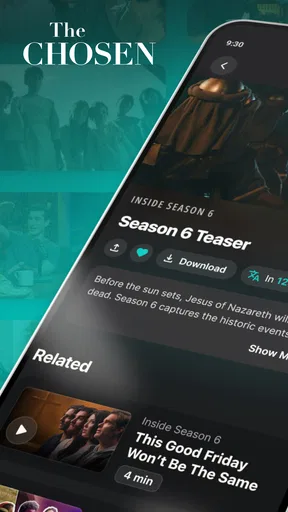
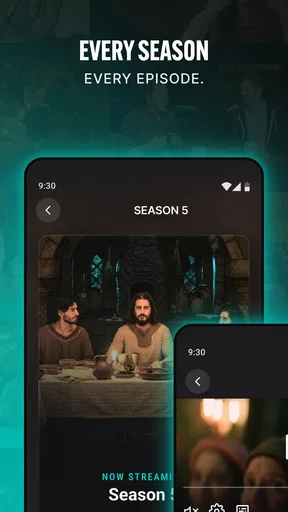
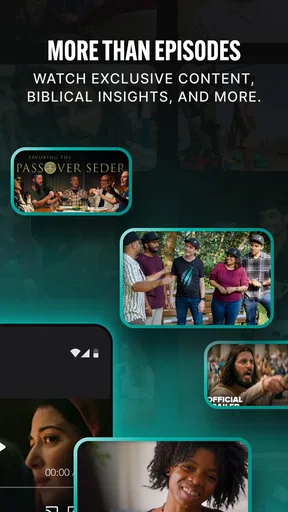
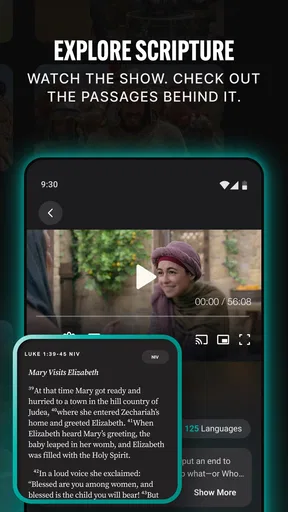
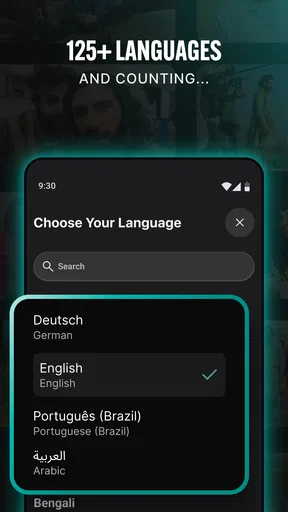
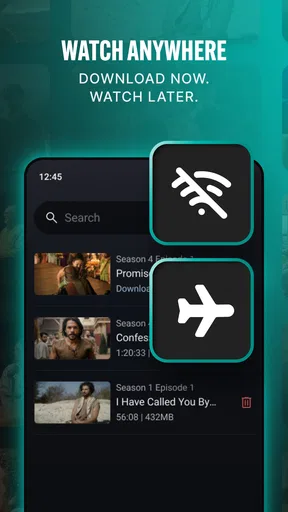
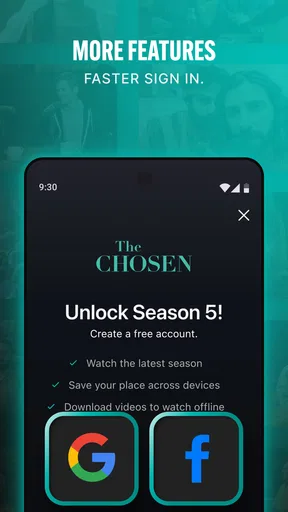
Our Review of The Chosen
 Analysis by Appyee
I opened The Chosen expecting a straightforward way to watch the faith-based television series, and that is exactly where the app makes its strongest impression. It is an entertainment app from Come And See, focused on giving viewers access to the show rather than surrounding it with a crowded mix of unrelated video content. If you are discovering the series for the first time, the simple idea is appealing: install the app, find an episode, and start watching without paying for access.
That simplicity also shapes my overall opinion. I would recommend it to someone who wants a dedicated home for The Chosen, especially if they prefer watching on a phone or tablet instead of searching through several general streaming services. I would be less enthusiastic about it for somebody looking for a broad entertainment catalog, advanced discovery tools, or one app that combines many different shows and films. This is a focused viewing app, and its value depends almost entirely on whether this particular series is what you want to watch.
What to expect when you open the app
The first thing to understand is that this is not a general-purpose streaming replacement. Its entertainment category is narrow by design, centered on the series itself. That can feel refreshing because there is less distraction than in a large service filled with rows of recommendations, but it also means the app has a very specific audience. You are not installing it to browse endlessly; you are installing it to watch this program.
The app is free, and the age classification is Everyone, which makes it approachable for households that want to explore it together. I still think parents should use their own judgment about whether the themes and presentation suit younger viewers, but the rating makes the intended accessibility clear. The developer is Come And See, and the app has built a substantial audience, with more than ten million installs and an average rating of 4.6 from roughly fifty-four thousand ratings. Those figures do not guarantee that every device or viewing habit will feel perfect, but they do suggest that the app is familiar to a large number of viewers.
One useful expectation to set before installation is that the app’s main advantage is convenience, not a huge collection of controls. A dedicated app can make returning to the show easier than repeatedly locating it through a general service, but it may not feel as feature-rich as platforms designed around many studios, genres, profiles, and recommendation systems. I see that as a reasonable trade-off here: the narrower purpose keeps the experience understandable, while limiting what you can do beyond watching the series.
For a first-time viewer, I would approach it with one simple goal: get to the first episode and decide whether the presentation, pacing, and viewing experience work for you. There is no need to spend a long time adjusting settings before you know whether the app belongs in your regular rotation. The most meaningful test is whether you can move from opening the app to watching comfortably without feeling lost.
Why the focused design can be useful
I found the single-show focus helpful when I already knew what I wanted to watch. On a general streaming service, the hardest part can be deciding what to choose. Here, that decision is mostly removed. This is especially practical for a family member who is not comfortable navigating large streaming libraries, or for someone who wants to share the series without explaining which service carries it.
There is also a social advantage to a dedicated destination. If a friend recommends the show, you can point them toward one clearly named app instead of asking them to search across several entertainment platforms. That does not make the viewing experience automatically better, but it lowers the friction between hearing about the series and actually trying it.
The limitation is just as clear. If you finish the available material and want drama, documentaries, comedy, or another religious series afterward, this app is unlikely to replace the broader service you already use. I would keep it alongside a general streaming app rather than treating it as an all-purpose alternative. Its purpose is concentration, not variety.
Installing it and getting through the first setup
The app supports devices running Android 6.0 or later, so it is available to people using older Android hardware as well as newer phones and tablets. That wider compatibility is useful if you are setting it up on a household device that is not your newest model. Still, compatibility on paper is only the beginning of a good viewing experience. Screen size, speaker quality, available storage, and the reliability of your connection will affect how pleasant watching feels.
After installation, I recommend resisting the urge to treat setup like a technical project. Open the app, look for the route into the series, and begin with the earliest episode or the point you intend to watch. If you are joining friends or family who are already watching, ask which episode they reached before starting; a focused app makes it easy to assume that the first visible selection is the correct place for you, but your viewing plan may be different.
A practical first-time workflow is to install the app while you have a stable connection, open it in the same place where you expect to watch, and test the beginning of an episode before settling in. This catches the most common everyday problems early: a device volume setting that is too low, a screen that dims too quickly, or a connection that is less reliable than expected. None of those issues is unique to this app, but discovering them during the opening moments is much less frustrating than discovering them halfway through a family viewing session.
I would also check how the picture and sound feel on your chosen device. A phone is convenient for personal viewing, but dialogue-heavy scenes are easier to follow on a larger screen or through clearer speakers. If you plan to watch with other people, place the device where everyone can see it before starting. The app’s focused design helps you reach the show, but it cannot solve a poor viewing position or weak audio from the hardware.
Making the first viewing less frustrating
My best setup tip is to separate account or navigation questions from playback questions. First find the series and confirm that you can start an episode. Then pause and explore anything else the app presents. This gives you a clear success point: if the episode plays and the sound is understandable, the basic setup has worked. You do not need to understand every screen before watching.
If you are installing it for somebody else, especially a relative, do one guided launch rather than handing over the device with no explanation. Show them where the show begins and how to return to it. Because the app is centered on one program, a short demonstration should be enough for many users. The goal is not to teach a complicated media system; it is to make the path back to the next viewing session obvious.
There is a trade-off in using an app with a very clear purpose: fewer choices can reduce confusion, but users who expect the controls and organization of a major streaming platform may initially look for options that are not central to this experience. I would judge the setup by how quickly you can watch, not by whether it resembles another service.
Reaching the first meaningful success
For me, the first successful action is not merely installing the app. It is starting an episode and watching long enough to know that the app fits your routine. Once playback begins, pay attention to three practical things: whether the episode is easy to locate again, whether the presentation is comfortable on your device, and whether the app keeps the experience simple enough that you would willingly return.
A realistic example is a quiet evening when you want to watch with a partner or family member. Instead of browsing a large service and debating what to choose, you open this app, select the series, and begin the planned episode. If the screen is positioned well and the sound is clear, the app has already done its main job. That direct route is the strongest reason I would suggest it to a fan or a curious first-time viewer.
Another useful scenario is watching in short personal sessions. You may have a limited amount of time and want to continue with a specific episode rather than start a completely different program. In that situation, a dedicated app can feel calmer than a broad entertainment platform. The important habit is to note where you stopped and return through the same series area next time, rather than assuming that every streaming interface will present your place in exactly the same way.
I also recommend testing the app in the setting where you will use it most. Watching alone on a phone tells you whether the basic playback route works. Watching with a group tests something different: visibility, audio, and how quickly everyone can agree on the episode. If the app is intended for shared viewing, the second test is more valuable than spending time exploring menus.
The app’s free price makes this trial easier. You can evaluate the viewing experience without first committing money to a subscription. That does not mean there is no value in supporting the content or choosing other services for convenience, but it does remove one common barrier for a person who simply wants to see whether the series is a good fit.
What makes a good first session
I would call the first session successful if you can answer these questions for yourself: Did I find the intended episode without unnecessary searching? Was the video comfortable on my screen? Could I hear the dialogue clearly? Would I know how to return to the show tomorrow? These are more useful questions than asking whether the app has the same polish as a large commercial platform, because this app is solving a narrower problem.
If your answer is yes, the next step is easy: use the app as a regular viewing destination. If your answer is no, identify whether the problem came from navigation, your device, or your connection before deciding that the app is unsuitable. A focused app can be convenient, but it cannot compensate for a small screen that several people are trying to share or speakers that make dialogue difficult to understand.
Common points of confusion and honest limitations
The most likely confusion is expecting a complete streaming library because the app sits in the entertainment category. Its identity is much more specific. If you open it hoping to compare many unrelated shows, you may interpret the focused structure as a lack of content. I would not install it for variety; I would install it because I want this series in an uncomplicated place.
Another possible misunderstanding involves the word “free.” The app itself is free to install and use, but your overall viewing setup may still involve ordinary costs such as internet access, mobile data, or the device you choose. I would avoid starting a long viewing session over a limited mobile connection unless you already know how your plan handles video. The app’s price removes an access charge; it does not change how your network or hardware works.
Viewers may also compare it directly with a major streaming service and wonder why they should use a dedicated app at all. The answer depends on your priorities. A general service is better if you want a large catalog, multiple genres, and one place for many household preferences. This app is better if you want to reduce searching and keep your attention on the series. Neither choice is universally superior.
There is a similar trade-off for people who watch across several devices. A broad platform may feel more familiar if your household already has established routines around profiles, watchlists, and switching between many programs. With this app, the benefit comes from its direct connection to the show, so I would not choose it solely because you expect the same ecosystem as a major subscription service. Choose it for the content and the straightforward path to watching.
The current version is 4.2.1, and the app was released on November 18, 2022. Those details place it in an established rather than brand-new stage, which is reassuring for someone who prefers not to rely on an experimental first release. Even so, app behavior can vary by device and operating system. If something feels awkward, update the app through your normal app store process and test again before drawing a final conclusion.
One limitation I noticed in the overall concept is that the app cannot be equally useful to everyone in a household. A dedicated destination is excellent when everyone agrees on the show, but it offers little help when one person wants a completely different kind of entertainment. In that case, a general service is the more practical shared solution, while this app remains a specialist option for the viewer who specifically wants the series.
Who should use it and who should skip it
I think it is a strong match for first-time viewers who want a low-cost way to try the show, existing fans who want a direct viewing route, and families or small groups planning to watch episodes together. It is also suitable for people who dislike browsing through huge catalogs and would rather open an app with one clear purpose.
I would skip it if your main goal is entertainment variety, if you want one application to replace every service you already use, or if you judge an app primarily by advanced library management. I would also think twice if your normal viewing happens on a device with a very small screen and weak audio, because the app cannot make shared viewing comfortable when the hardware is the real bottleneck.
For people who are unsure about the series itself, the free access makes trying it sensible. Give the opening episode a fair test in a comfortable setting rather than judging it from a rushed phone session in a noisy room. For people who already know they enjoy the show, the decision is simpler: the app’s narrow focus is more likely to feel convenient than restrictive.
My recommendation after using it
The Chosen succeeds by being clear about what it is. Come And See has created an entertainment app for viewers who want a direct way to watch the series, and the free access, Everyone age rating, and support for Android 6.0 or later make it easy for many people to try. Its large install base and strong average rating reinforce the impression that it has found a real audience, although personal satisfaction will still depend on your device, connection, and expectations.
My recommendation is straightforward: install it if the series is your priority, then test one episode on the device and in the setting where you expect to watch most often. Start with the earliest episode if you are new, or return to the point your group has reached if you are joining an ongoing watch. Confirm that the picture, sound, and route back to the show work for you before planning a longer session.
I would not present it as a replacement for every streaming service. Its weakness is the same as its strength: the experience is centered on one series, so it will not satisfy someone searching for a broad entertainment catalog. But for the right viewer, that focus is exactly what makes it useful. You spend less time searching, avoid an upfront price, and get a simple place to begin watching.
After the first successful viewing, the best next step is to build a small routine around it: choose when you will watch, use the most comfortable screen available, and keep the app ready for the next episode rather than treating each session as a new search. If that routine feels natural, this is an easy app to keep. If you want variety above all else, stay with your broader streaming option and use this one only when you specifically want the series.
Verdict
Strengths of The Chosen
- Strong character development and emotional storytelling
- Faith-centered themes are presented in an accessible way
- High-quality cinematography and production design
- New episodes and bonus content keep the experience engaging
- Suitable for watching with family or small groups
Limitations of The Chosen
- Some episodes may feel slow for viewers expecting constant action
- Requires an account or sign-in for certain features
- Streaming quality depends heavily on your internet connection
- The app may use considerable storage for downloaded episodes
- Its religious focus may not appeal to every viewer
Similar Picks in This Category
View All
Google Play Games
Google LLC3.9

Netflix
Netflix, Inc.4.8

YouTube Kids
Google LLC4.2

Disney+
Disney4.4

Prime Video
Amazon Mobile LLC4.7

Steam
Valve Corporation3.2
Frequently Asked Questions
What is The Chosen app?
The Chosen app is the official streaming platform for the popular multi-season series about the life and ministry of Jesus. After installing it, viewers can watch available episodes, access season-related content, and continue their viewing across supported devices. The app is designed for fans who want a convenient way to follow the story without relying exclusively on traditional television or other streaming subscriptions.
Is The Chosen app free to download and use?
Yes, the app is generally free to download, and its main viewing experience is offered without requiring a standard paid subscription. However, availability, optional features, donations, merchandise, and related content may vary depending on your region and the version of the application. Before watching, it is worth checking the current in-app information and store listing because policies and available content can change.
Do I need an account to watch The Chosen?
You may be able to browse or begin watching without creating an account, but signing in can provide a more convenient experience. An account may allow the app to remember your progress, synchronize viewing between devices, and provide access to personalized features. Registration requirements can differ by platform and location, so users should review the sign-in options shown when opening the app.
Can I watch The Chosen offline?
Offline viewing depends on the features currently supported by the app, your region, and the specific content. If download functionality is available, episodes normally need to be saved while you have an internet connection and may remain accessible only within the application. Users should also remember that downloaded videos can require storage space and may have viewing or expiration limits.
Does The Chosen app work on Android, iPhone, and TV devices?
The Chosen is available for many Android and iOS devices, and it may also support selected smart TVs, streaming platforms, casting options, or web browsers. Compatibility can depend on your operating system version, device model, and country. For the smoothest experience, install the latest official version and confirm that your device meets the requirements listed in its relevant app store.
